Price your next work from your own past estimates.
Upload the buyer's files. RFQ Copilot reads the work, finds the same positions in your past estimates and supplier offers, and builds a quote where every price shows its source. You check, decide and send.
Already have an account? Sign in →
- Prices only from your sources
- A source behind every price
- Nothing is sent without you
The experience is already in your files. Finding it is the slow part.
Today
- Searching old estimates and folders for similar work
- Copying prices and converting units by hand
- Not seeing which job and year a price came from
- Noticing missing prices at the last minute
With RFQ Copilot
- Similar positions found in your own history
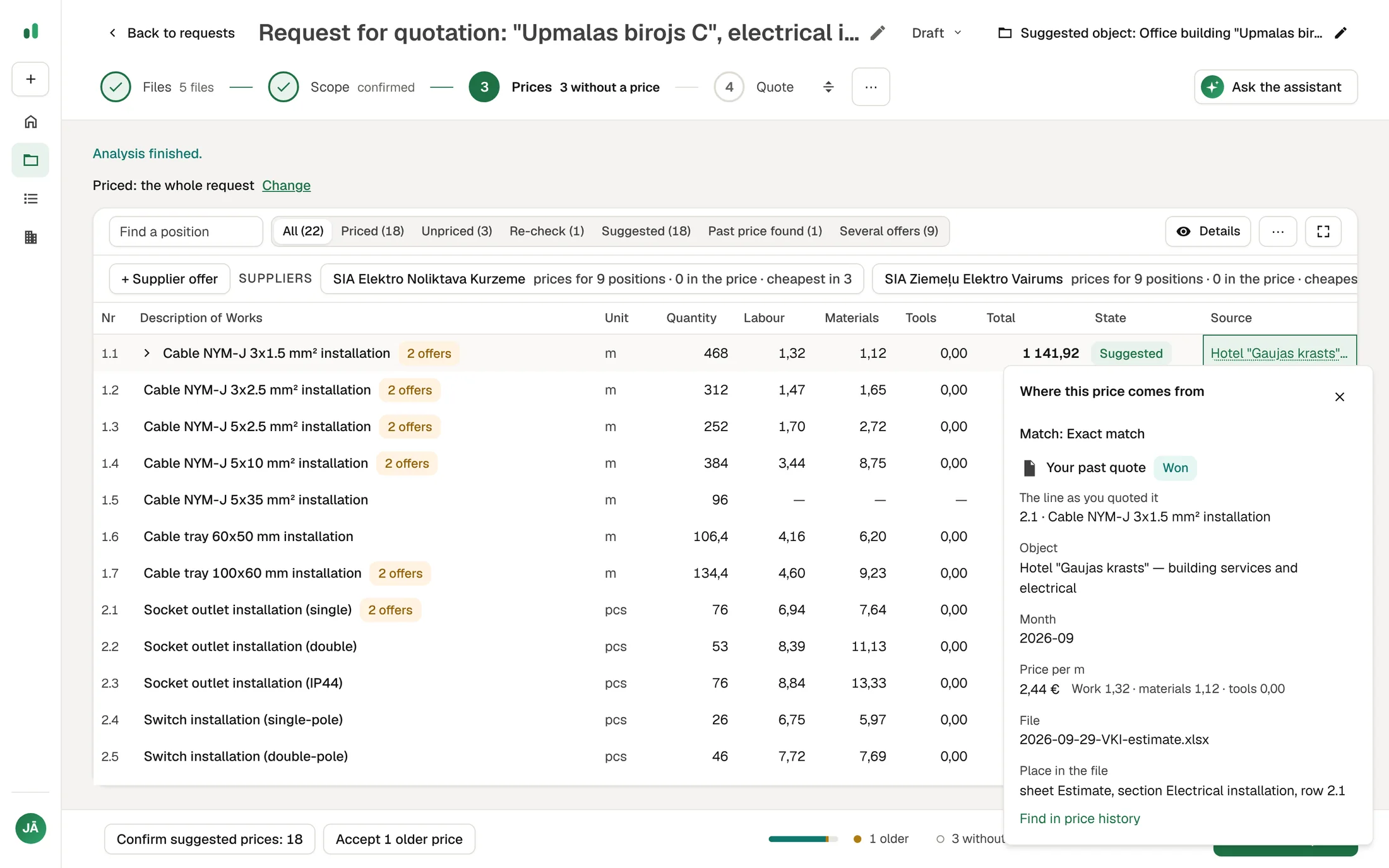
- The file, row and month behind every price
- Supplier offers matched to the positions they price
- Missing prices visible early, while there is time to ask a supplier
From the buyer's files to a checked quote, in four steps.
Files
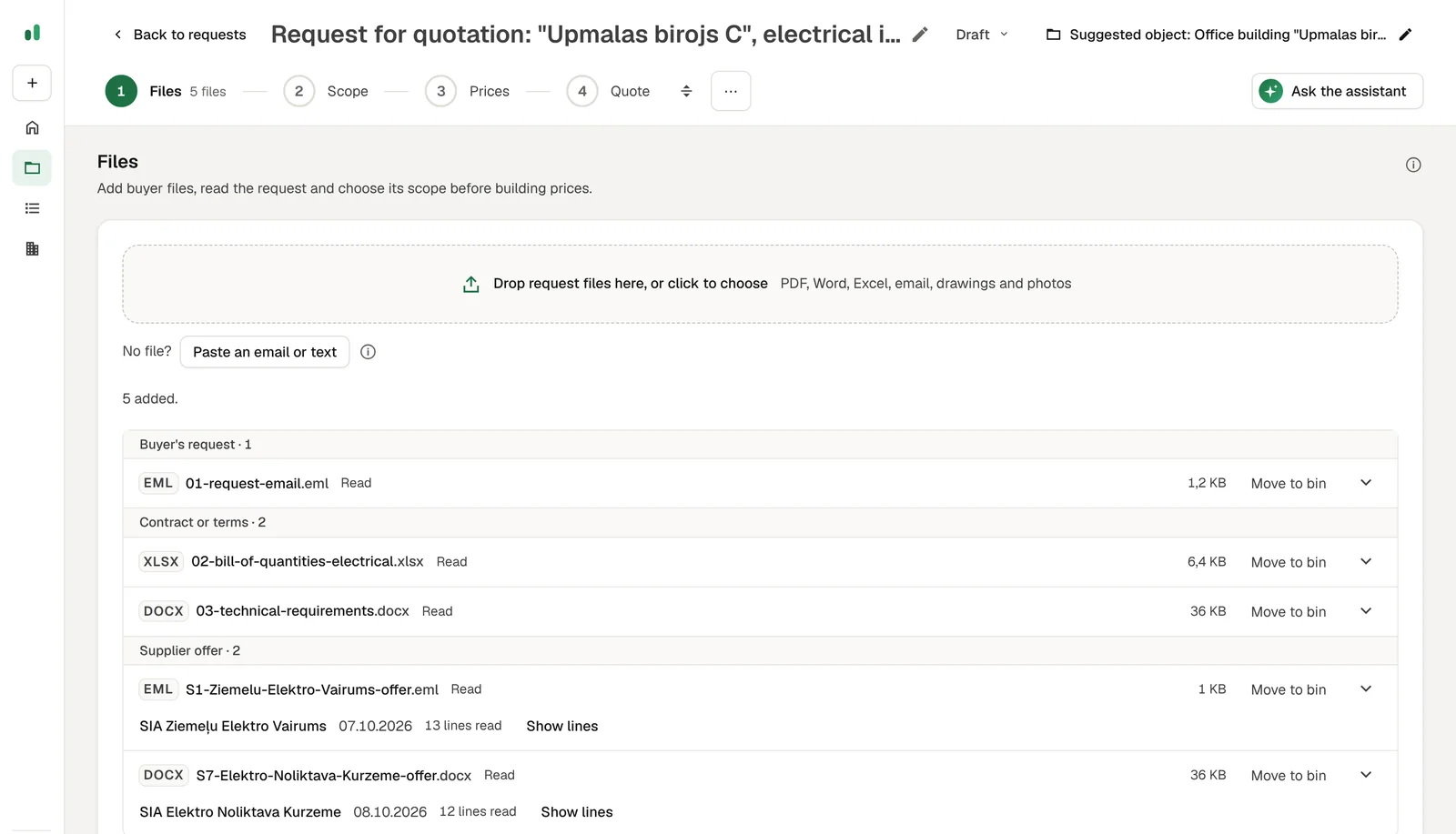
Drop in the buyer's email, Excel, PDF or Word files and supplier offers together. Each file is sorted by what it is.
Scope
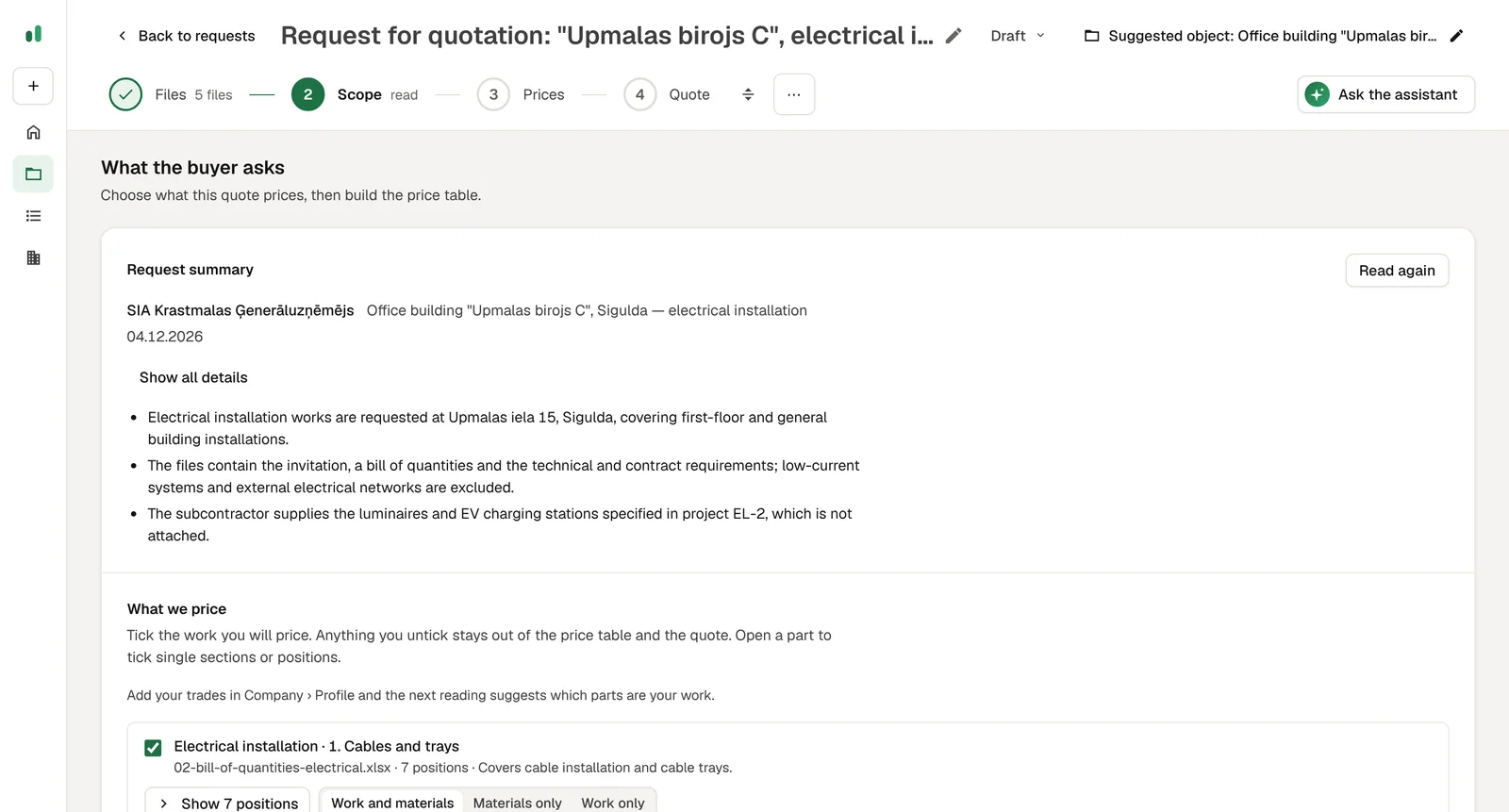
Buyer, object, deadline and the work are read out for you to confirm, with questions worth asking the buyer.
Prices
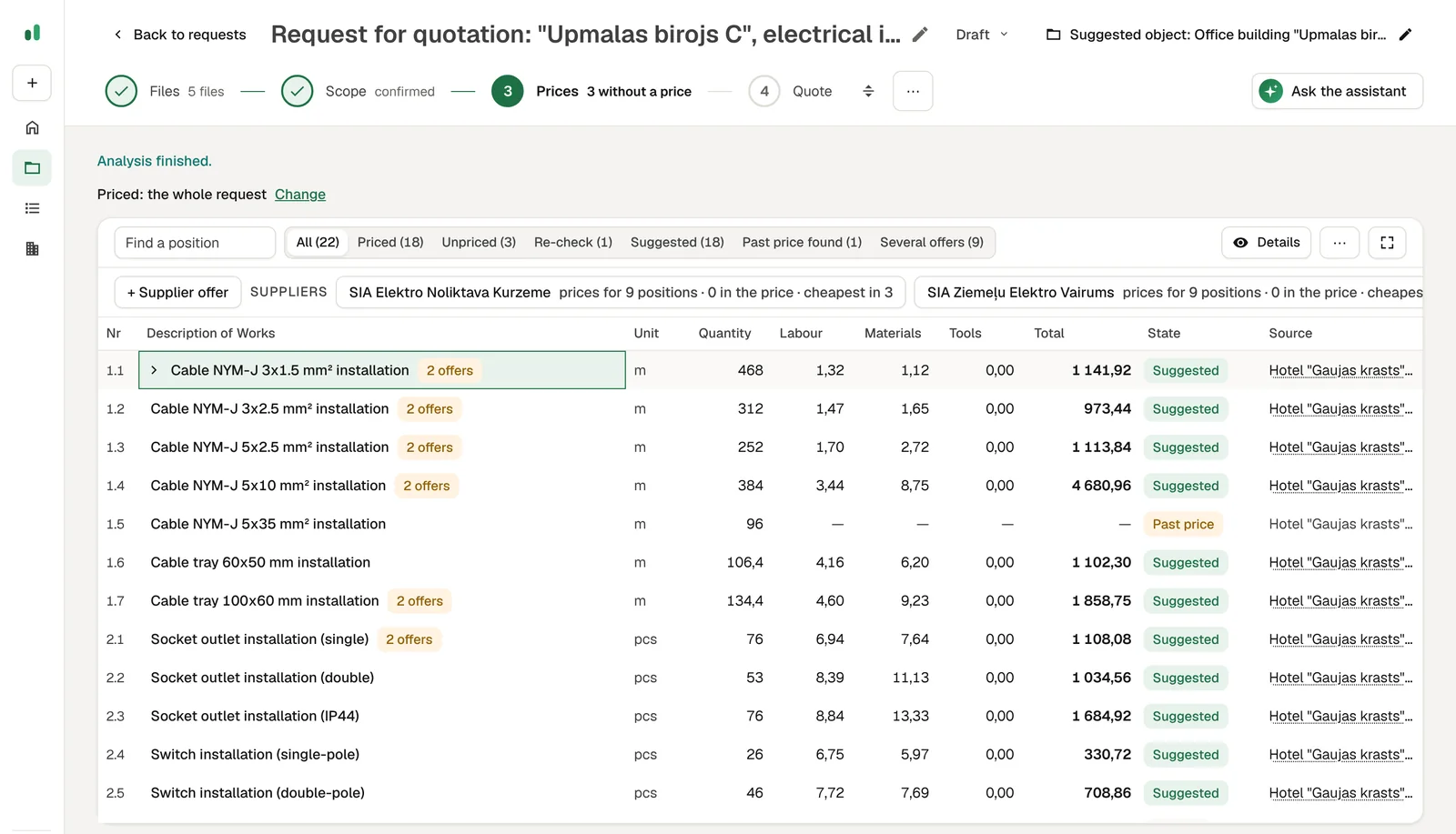
Each position gets a price from your history or a supplier offer, with its source. What has no reliable price stays open.
Quote
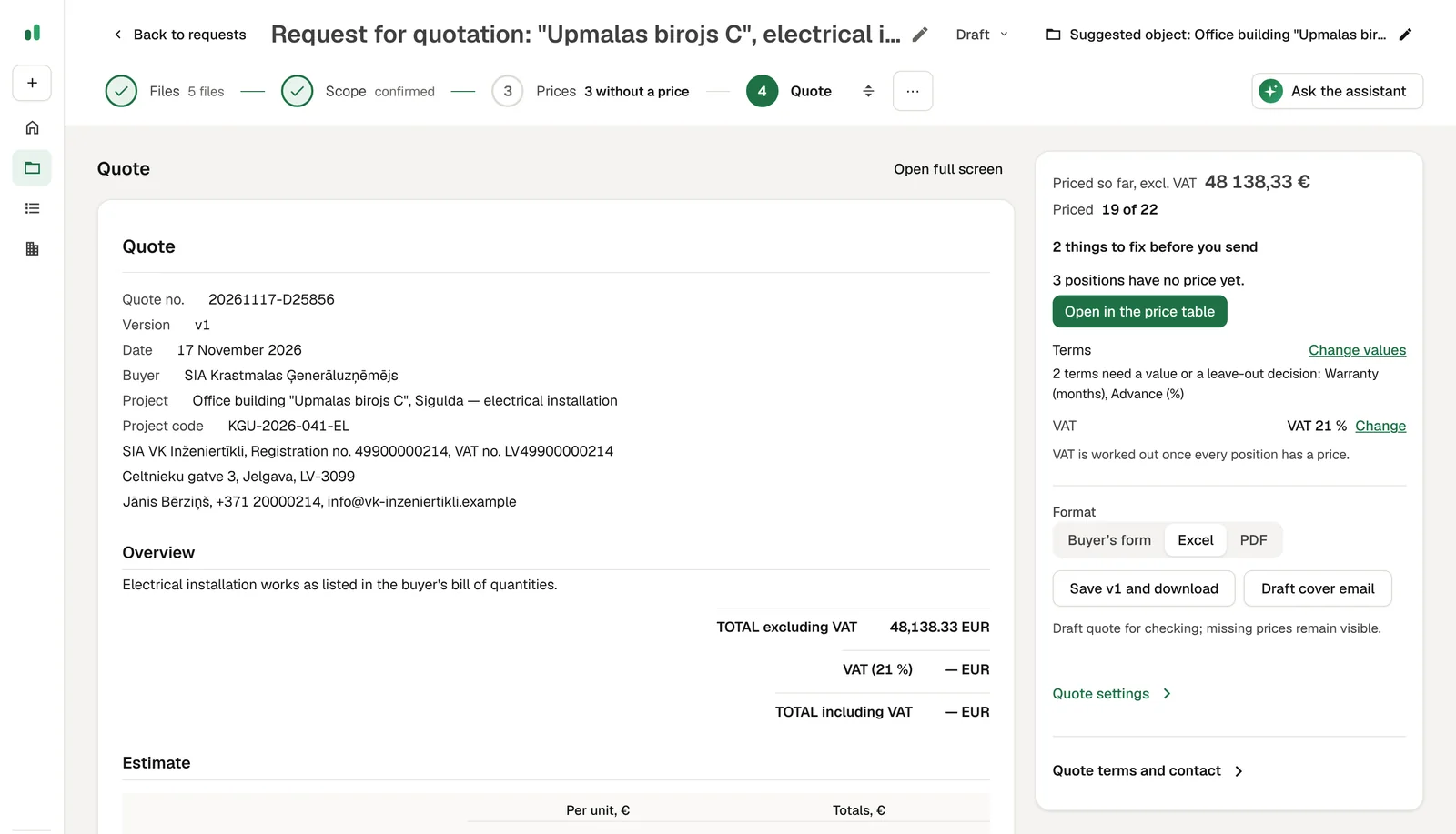
Preview the quote, confirm VAT and terms, save a version and download it as Excel or PDF, or get the buyer's own form back filled in.
Similar wording is not enough.
The request asks for a 5x35 mm² cable. Your history has 5x16, so that price is not taken over: the row stays open, with the older price shown for you to look at. A supplier's material price is not your installed selling price either. RFQ Copilot shows the evidence and leaves the decision to you.
See the four steps →
What RFQ Copilot never does
- Invent a price
- Without a source, the price stays empty.
- Turn a missing price into zero
- The total shows what is known and what is still open.
- Send anything on your behalf
- You review the document and send it yourself.
- Mix a material cost with a selling price
- Supplier offers and quoted prices stay distinct evidence.
Your documents stay in your company's workspace.
- Invitation only
- Nobody can open an account on their own. Your administrator decides who signs in.
- One company, one workspace
- Your estimates, prices and requests are visible only to your company's accounts.
- On your own server, if you prefer
- RFQ Copilot can also be installed on your company's own server or cloud account.
- EU hosting
- Hosted in the EU. AI document analysis also stays in the EU.
Our ready app, or quote preparation in your own AI tools.
RFQ Copilot, hosted by us
Invitation-only accounts, one workspace per company, hosted in the EU.
RFQ Copilot on your server
The same app installed on your company's own server or cloud account.
Quoting assistant in the AI tools you already use
We set up your estimates, price lists and templates inside the AI tool your team already works with. Nothing moves to a new app, and everything stays in your environment.
Quotes & proposals →Questions before you start
- Does it make up prices?
- No. Prices come from your own history, supplier evidence or an estimator's input. Missing evidence stays missing.
- Does a supplier price become my selling price?
- No. Material costs and historical quoted prices are different evidence. You decide the final quote price.
- Will it send a quote for me?
- No. You review and export the document. Sending remains a human action.
- Which AI reads my documents?
- An AI model running in the EU reads your documents for your workspace only. The app is hosted in the EU.
- How is this different from the Quotes & proposals service?
- RFQ Copilot is our quoting approach as a ready app for construction subcontractors. If you price other work, or want everything inside the AI tool you already use, we set up quote preparation around your own price lists and templates instead.
Let's walk through your estimating workflow.
Accounts are opened by invitation. Send a request and we reply by email to arrange a walkthrough. If you like, bring one typical estimate and one request to look at together.